

Key Takeaways
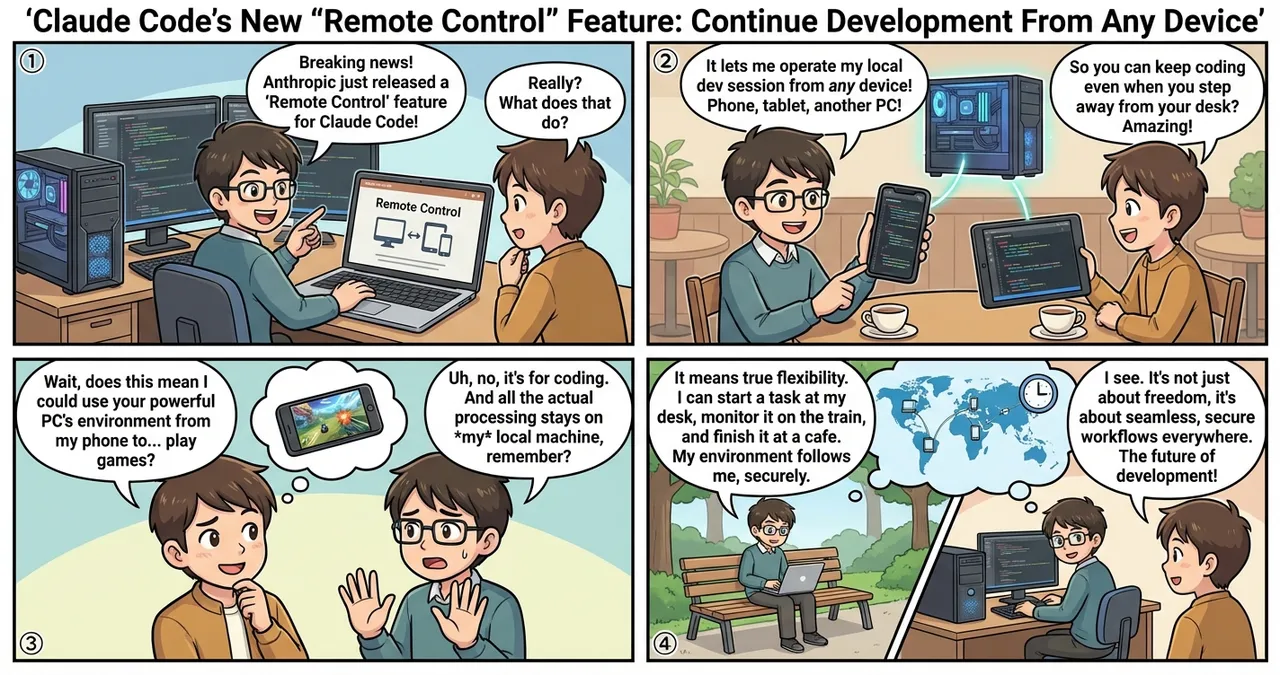
- Anthropic’s Claude Code now includes “Remote Control” — a new feature that lets you operate local sessions from other devices (Research Preview).
- All processing remains on your local machine while you continue operating from a smartphone, tablet, or another PC’s browser.
- Available for Pro and Max plan users, activated via the
claude remote-controlcommand or the/remote-controlslash command during a session.
The Details
What Is Claude Code?
Claude Code is an agent-based tool powered by Anthropic’s latest AI model “Claude Sonnet 4.6,” integrated directly into the developer’s command-line (CLI) environment. Unlike traditional chat interfaces, it has permission to directly read/write files and execute shell commands in your local environment. With natural language instructions alone, it autonomously handles code fixes, test execution, debugging, and Git operations.
What Is “Remote Control”?
The newly added “Remote Control” is a feature that lets you continue operating an active local Claude Code session from any device — smartphone, tablet, or another PC’s browser.
The crucial point is that all processing remains on your local machine. Your filesystem, MCP servers, tools, and project settings all stay local, with the browser or smartphone serving as a “window” into that session. This makes it perfect for scenarios where you need your local environment but want to work away from your desk.
How to Use Remote Control
Prerequisites
- Pro or Max plan subscription (API keys not supported)
- Signed in via
/loginwith theclaudecommand - Workspace trust dialog accepted by running
claudeonce in the target project directory
Launch Methods
Method 1: Start as a new session
cd your-project
claude remote-control
A session URL will display. Press spacebar to show a QR code for easy smartphone access.
Available options:
| Flag | Description |
|---|---|
--verbose | Display detailed connection/session logs |
--sandbox | Enable filesystem/network isolation sandbox |
--no-sandbox | Disable sandbox (default) |
Method 2: Switch an active session to remote Use this slash command during an existing Claude Code session:
/remote-control
Or the shorthand:
/rc
The remote session starts while preserving your current conversation history.
Method 3: Always-on mode
Instead of running the command each time, set “Enable Remote Control for all sessions” to true in /config to automatically enable it for all sessions.
Connecting From Another Device
- Open the session URL in a browser: Navigate to the URL shown in your terminal to operate via
claude.ai/code - Scan the QR code: Use the Claude app on your smartphone to scan the QR code
- Select from session list: Open
claude.ai/codeor the Claude app and select the remote session indicated by a PC icon with a green status dot
Companion Flags: --remote / --teleport
New flags have been added alongside Remote Control:
# Create and start a new web session from local
claude --remote "Fix the login bug"

# Pull a running web session into your local terminal
claude --teleport
What Makes This Impressive?
| Feature | Web-based Claude Code | Remote Control |
|---|---|---|
| Execution location | Anthropic’s cloud infrastructure | Your local machine |
| Local file access | Not available | Available |
| MCP servers | Not available | Uses local ones |
| Typical use case | Start tasks without setup | Continue local work from another device |
Use Cases
| Use Case | Details |
|---|---|
| Continue working on the go | Direct and monitor coding started at your desk from your smartphone |
| Auto-recovery from network drops | Automatically reconnects when your PC wakes from sleep |
| Monitor from multiple devices | Check long-running task progress and give additional instructions from another PC or phone |
| Leverage your local environment | Use sensitive configs, MCP servers, and project-specific settings without exposing them to the cloud |
Security Architecture
- Local Claude Code sessions only make outbound HTTPS requests and never open inbound ports
- All traffic is TLS-encrypted via the Anthropic API
- Uses multiple short-lived credentials, each scoped to a single purpose and expiring independently
Current Limitations
- One remote connection per session (no simultaneous multi-device operation)
- Closing the terminal ends the session (runs as a local process)
- Session times out after ~10 minutes without network connectivity
- Pro and Max plans only (not available for Team or Enterprise plans, Research Preview stage)
Getting Started
- Install and authenticate: Install via
npmand sign in with/login. - Launch Remote Control: Run
claude remote-controlin your project directory and scan the QR code with your smartphone. - Direct bug fixes on the go: Continue debugging started on your office PC from your smartphone while commuting.
- Reverse with
--teleport: Pull a web-based Claude session into your local terminal to leverage local MCP servers and files.
Summary
Claude Code’s “Remote Control” feature enables a new development style: “use your local power from anywhere.” By choosing between cloud-based Web sessions and locally-executed Remote Control, you can maintain security while developing flexibly from any location. While still in Research Preview, Pro and Max plan users can try it right now. The development arena is evolving beyond the terminal to an environment accessible from anywhere.
![[Weekly AI Model Updates] Top 5 News to Watch (3/1 - 3/8)](https://4koma-news.com/images/posts/en/88-weekly-ai-news-model-2026-03-08-blog.webp)
![[Anthropic Claude] Anthropic's Claude AI Recovers After Major Global System Outage](https://4koma-news.com/images/posts/en/82-2026-03-02-claude-system-outage-blog.webp)
![[Weekly AI Model Updates] Top 5 News to Watch (2/22 - 3/1)](https://4koma-news.com/images/posts/en/80-weekly-ai-news-model-2026-03-01-blog.webp)
![[Claude] Anthropic's App Surpasses ChatGPT in US App Store Rankings](https://4koma-news.com/images/posts/en/82-2026-03-01-claude-tops-app-store-blog.webp)

